

Classic Arcade Fun on iOS
Is Oldschool Blocks compatible with iPhone, iPad, and iPod Touch?
The software is designed for iOS devices, including iPhone, iPad, and iPod Touch. Compatibility with specific models is not detailed, but it runs on the supported iOS platform.
Is Oldschool Blocks safe to download and install?
As a free app distributed through official app channels, Oldschool Blocks is expected to meet standard security protocols. No additional risks were reported in the provided information.
How often are updates released for Oldschool Blocks?
Version 1.1 was released on March 15, 2024. No update frequency details were provided by the developer.
What type of license does Oldschool Blocks have?
Oldschool Blocks is offered as a free application with no explicit licensing terms mentioned. It operates under a freemium model with no in-app purchases noted.
Can I play Oldschool Blocks offline?
Yes, the game does not require an internet connection once installed. It is designed for offline play on iOS devices.
Overview
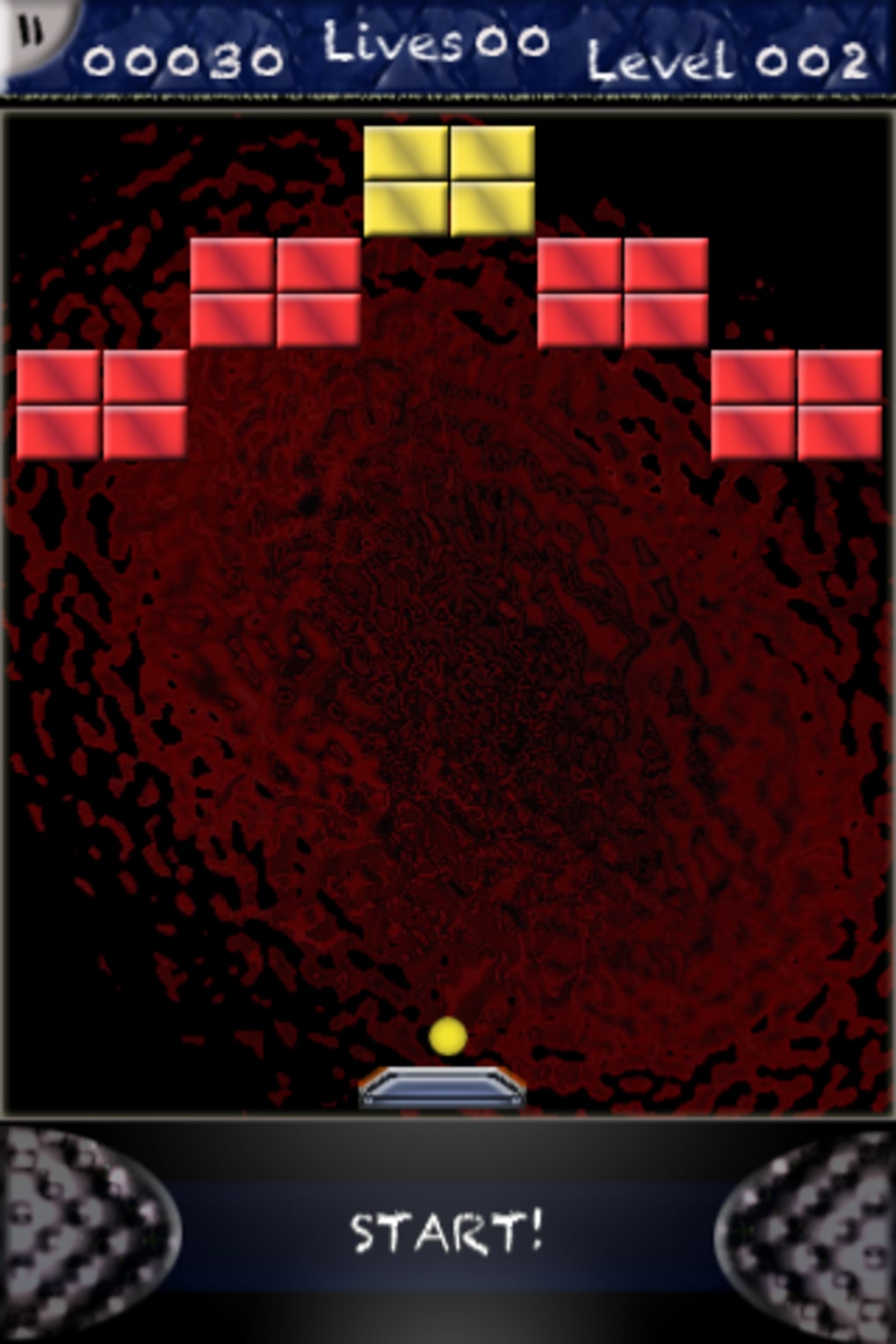
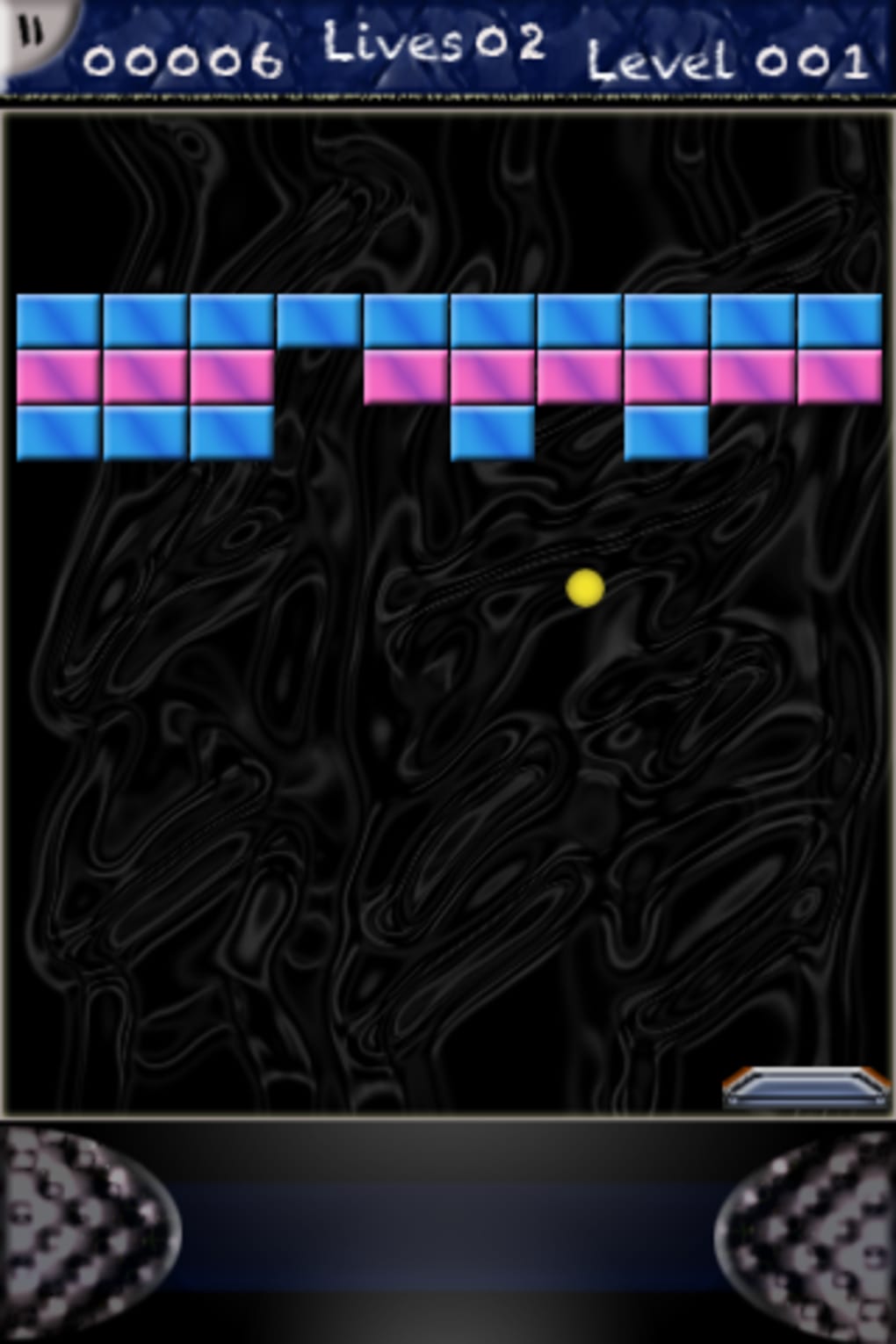
Oldschool Blocks is a retro-style arcade game tailored for iOS users, offering a nostalgic experience reminiscent of classic games from previous decades. Designed for iPhone, iPad, and iPod Touch, the game centers around a simple yet engaging mechanic: guiding a ball with a paddle at the bottom of the screen to break colored blocks above. The gameplay emphasizes reflexes, timing, and precision, making it suitable for casual players and fans of retro gaming alike.
The developer did not provide additional background information, but the game’s design reflects a deliberate effort to recreate the visual and auditory charm of vintage arcade titles. Bright colors, playful sound effects, and dynamic block destruction contribute to an immersive experience. Real-world usage scenarios include short gaming sessions during breaks, travel, or as a relaxing pastime.
The game supports continued play from the last level reached after losing all lives, allowing players to resume without starting over. While the vertical-only screen orientation may be limiting for some users, the overall design prioritizes accessibility and immediate engagement.
Key Features & Capabilities
- Retro Arcade Gameplay: Recreates the feel of classic arcade titles with a focus on ball-and-paddle mechanics and block destruction.
- Dynamic Power-Ups: Randomly appearing items like clocks, stars, and large green balls that split into multiple pieces add strategic depth and variety.
- Progressive Difficulty: Levels increase in complexity, challenging players to improve their reflexes and spatial awareness.
- Level Resumption: The game remembers the last completed level, enabling players to continue from where they left off after losing all lives.
- Touch-Based Controls: Designed for iOS touchscreens, offering intuitive interaction despite a learning curve for new users.
These features support a range of gameplay styles, from quick sessions to extended play. The power-ups introduce unpredictability, encouraging repeated engagement. The level resumption system enhances user retention by reducing frustration. Touch controls, while initially challenging, adapt to user behavior over time. The game’s design ensures that each session feels fresh and rewarding, even after multiple attempts.
User Interface, Workflow & Performance
The user interface of Oldschool Blocks is built around a minimalist layout focused on core gameplay. The screen displays the paddle at the bottom, a bouncing ball, and rows of colored blocks above. Navigation is entirely touch-driven, with no menus or secondary screens beyond basic settings.
The workflow is linear: start, play, lose, restart from the last level. This simplicity enhances accessibility, especially for casual users. The developer did not specify resource usage details, but the 38.3 MB file size suggests efficient storage utilization.
Performance observations are based on general software behavior patterns; the game likely runs smoothly on supported iOS devices. Stability appears consistent, with no reported crashes or freezes in the provided information. The touch-screen maneuvering system may require practice, particularly for users unfamiliar with arcade-style controls.
However, the interface remains responsive, and the game maintains consistent frame rates during active play. Overall, the workflow is streamlined and purpose-built for immediate play.
Compatibility & System Requirements
Oldschool Blocks is designed for iOS devices, including iPhone, iPad, and iPod Touch. The current version is 1.1, released on March 15, 2024. The installation size is 38.3 MB, which is relatively compact for a mobile game.
The developer did not specify exact system requirements, including minimum iOS version or hardware specifications. Compatibility information is limited to the supported platforms. The game does not support horizontal screen orientation, which may affect user comfort during extended play.
Users should ensure their device meets the general requirements for running iOS applications. No additional dependencies or external services are required for basic functionality.
Pros and Cons
Pros
- Authentic retro arcade experience with nostalgic visuals and sounds
- Free to download and play with no in-app purchases
- Level resumption feature enhances replayability and reduces frustration
- Compact file size of 38.3 MB ensures minimal storage impact
- Touch controls adapt with use, improving user experience over time
Cons
- Vertical-only screen orientation limits viewing comfort for some users
- No record of previous scores, limiting long-term progression tracking
- Limited system requirements information provided
- Touch controls may be challenging for new players initially
- Gameplay remains static without additional modes or customization options
Final Thoughts + CTA
Oldschool Blocks delivers a polished and accessible retro arcade experience tailored for iOS users. Its nostalgic design, simple mechanics, and thoughtful features like level resumption make it a compelling choice for fans of classic games and casual players alike. While the lack of horizontal screen support and score tracking may be drawbacks for some, the game’s strengths outweigh its limitations.
The free model, compact size, and smooth performance further enhance its appeal. For those seeking a quick, engaging distraction or a trip down memory lane, this game is well worth trying. Download Oldschool Blocks now.







